
The whole product, one screen at a time
Every screen below is the real thing, from a demo café on our own staging tier. The people and the numbers are invented; the screens are not.
A number and a bill. That is the whole visit.
The till opens on the scanner. Scan the member's code or type their number, type what they spent, and the points follow from your rules — with the rewards they can already afford on screen.
- Scan a code, or find them by phone number
- Points worked out from the bill, never typed by hand
- Redeeming needs a code the member opens on their own phone
- Each cashier sees their own shift: visits, points given, points spent

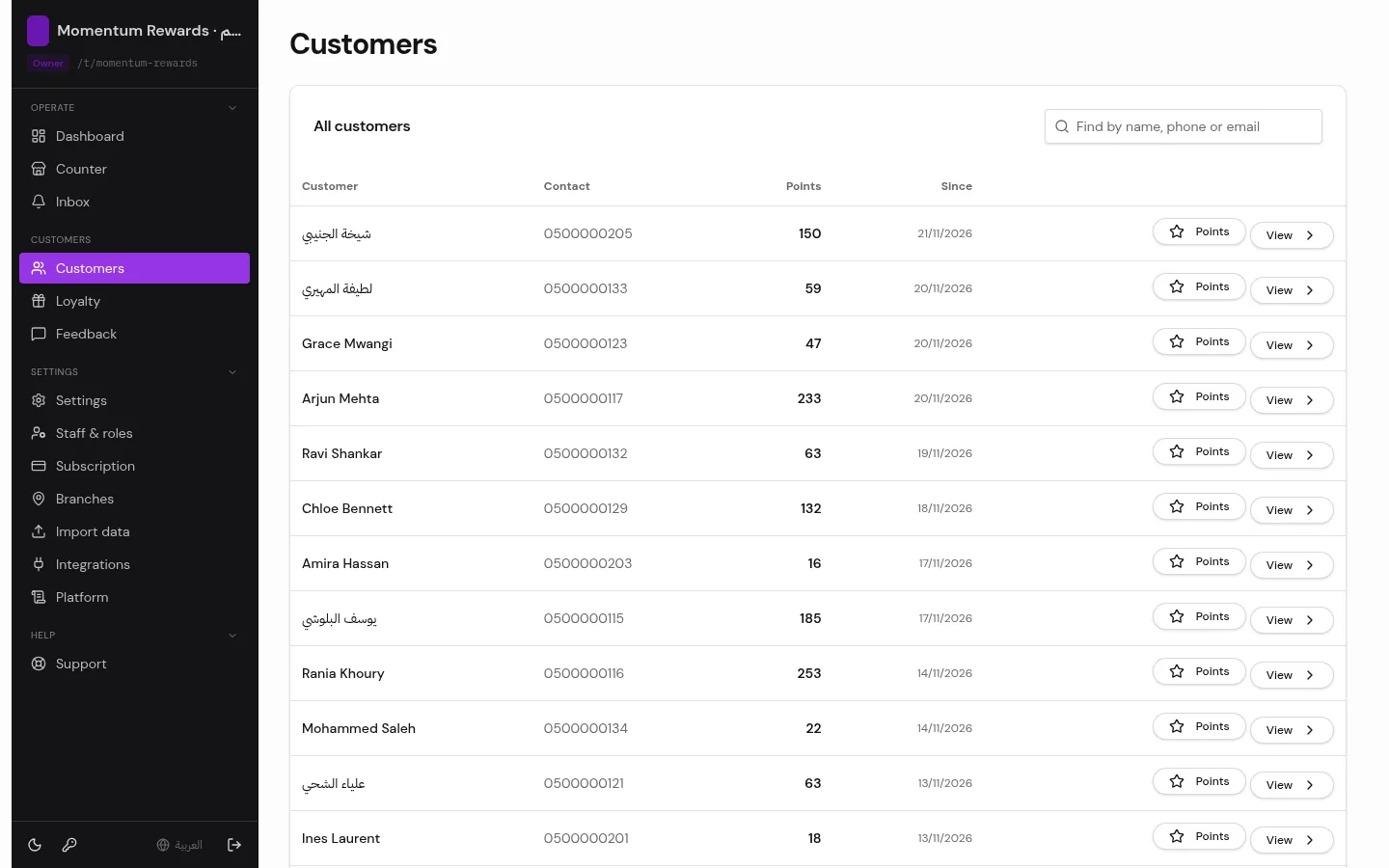
Everybody who comes back, and everything they did
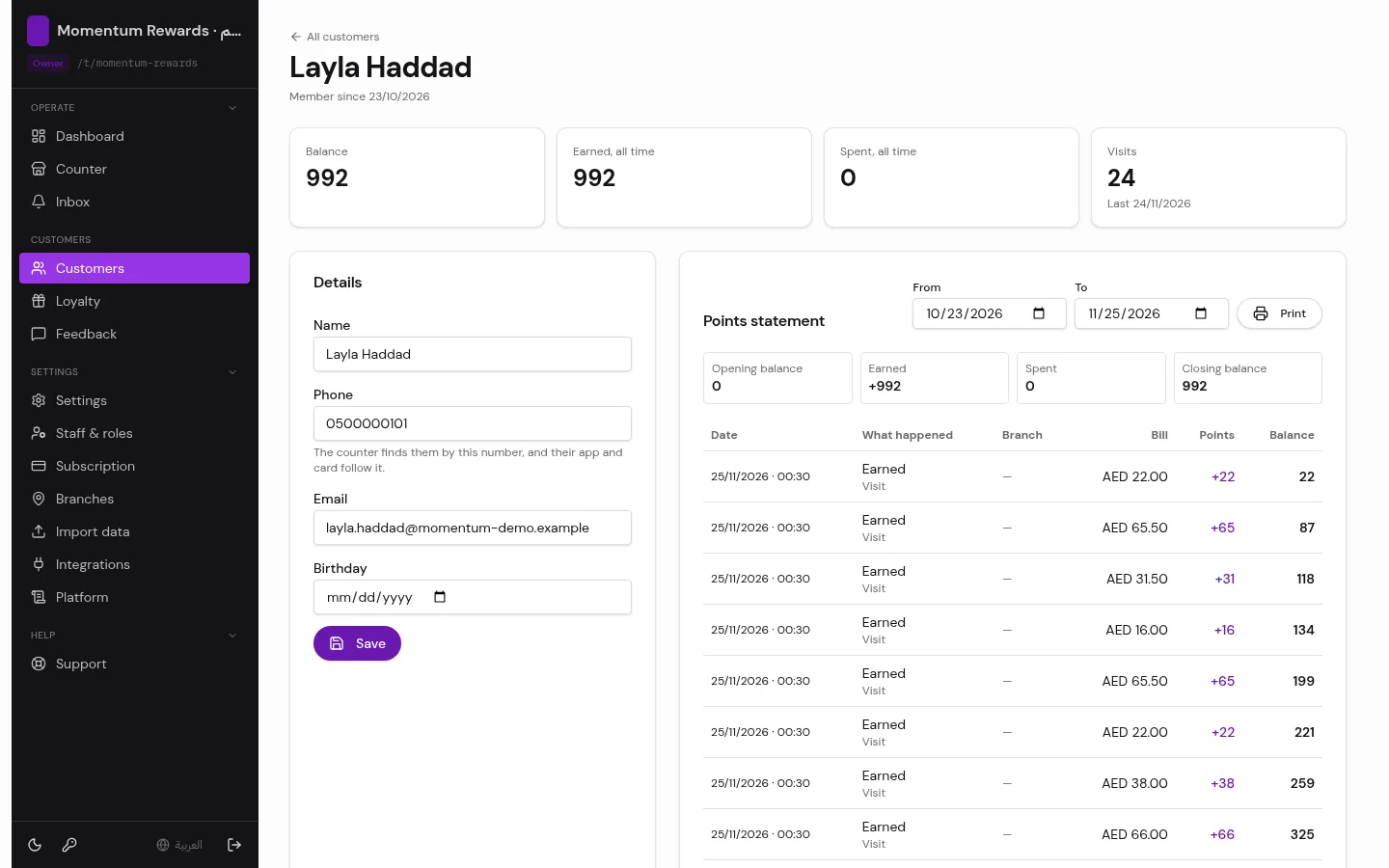
Find anybody by name, phone or email. Open a member to correct their details, see their visits and print a points statement for any period, on your own calendar.
- Points statement with opening and closing balance
- Changing a phone number is the owner's decision, and it is logged
- What each member agreed to, in the words they read
- Import your list from a spreadsheet; export whenever you like
Your rules, in dirhams
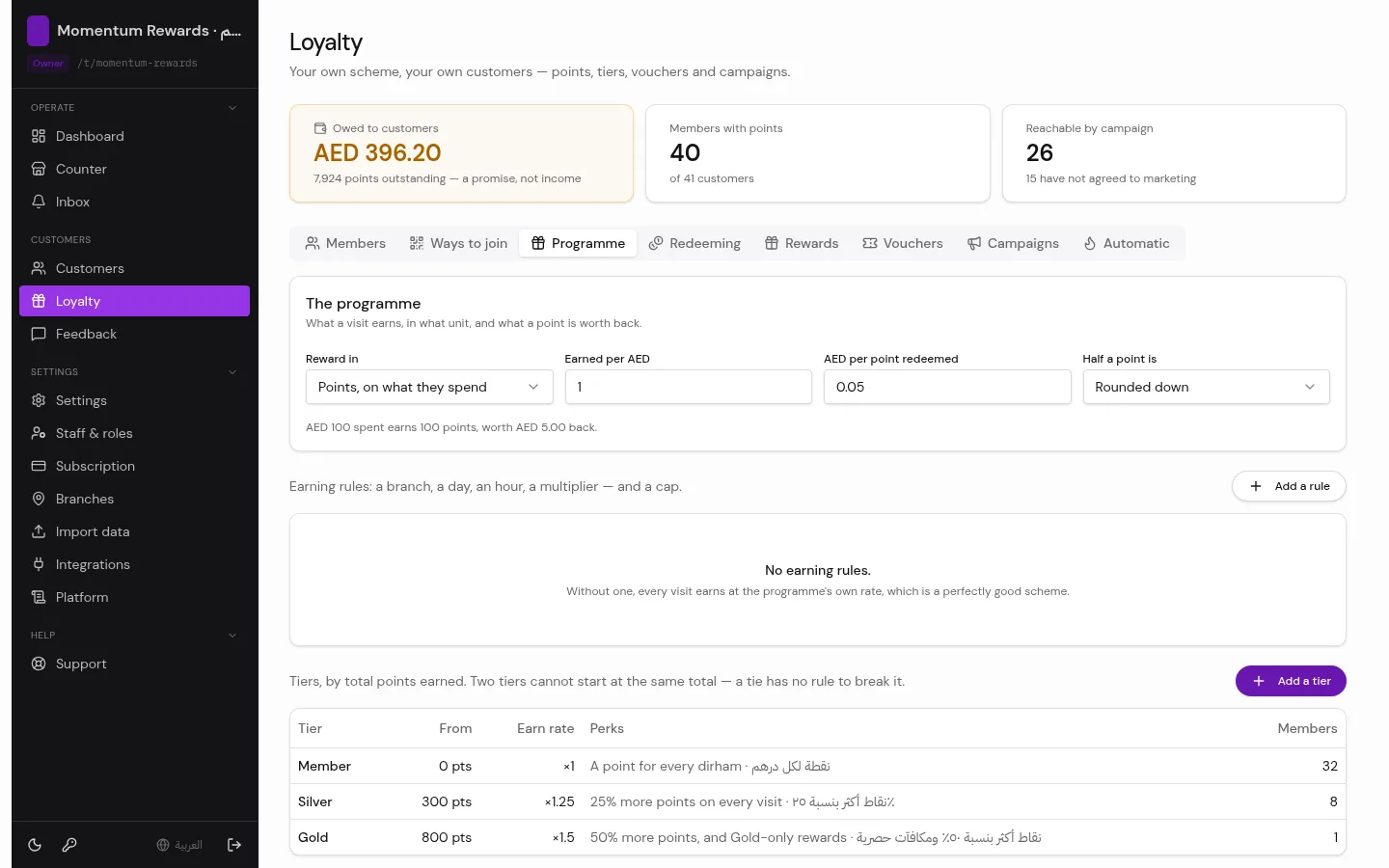
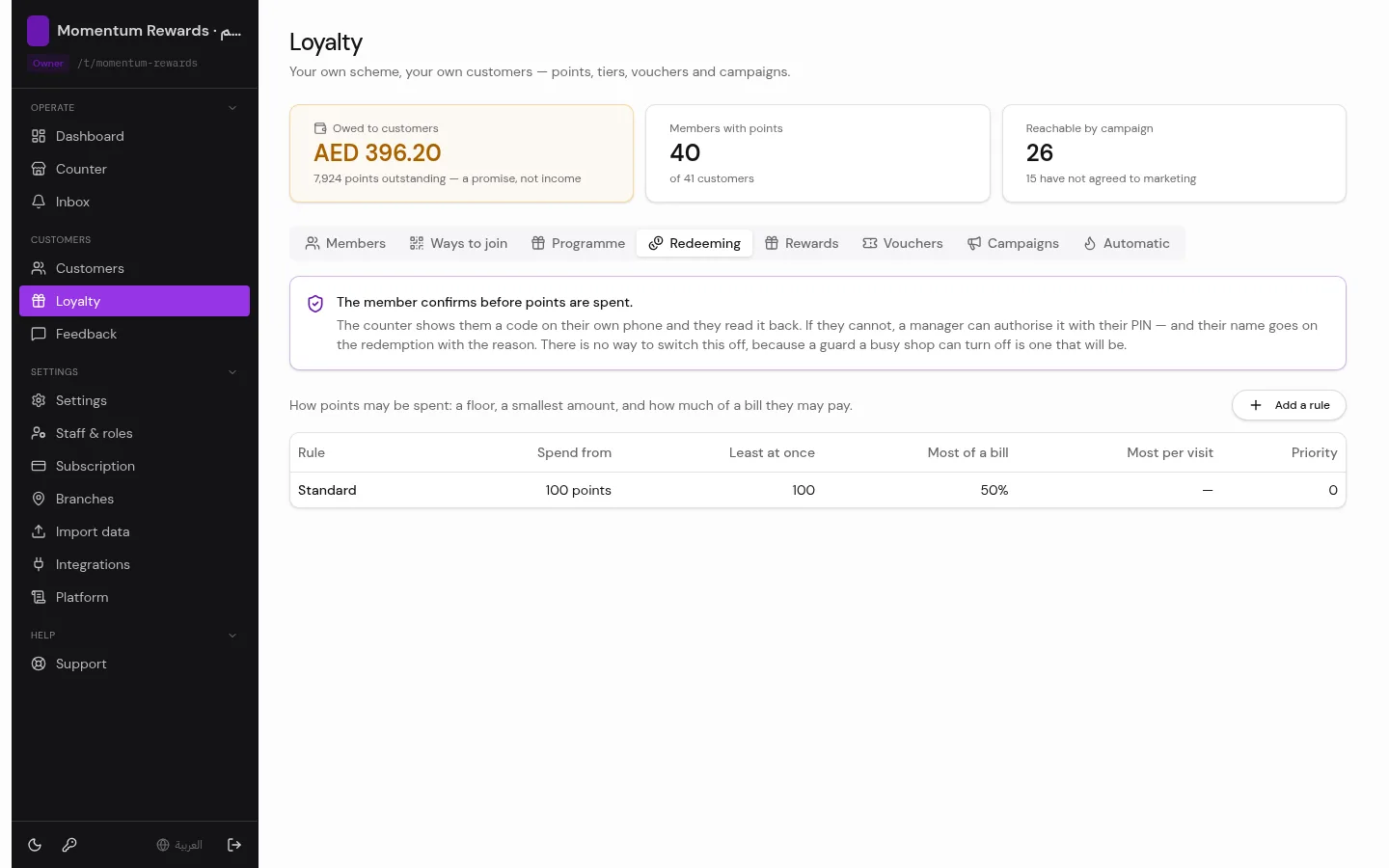
Set what a dirham earns and what a point is worth when it is spent. Add a tier ladder if you want one, decide when points expire, and set the least a member must hold before spending.
- Points per dirham, rounded your way
- Tiers with the perks you choose
- Extra earning rules by branch, day or hour — with multipliers and caps
- Expiry after the months you set
- Rules for when points can be spent
Something worth coming back for
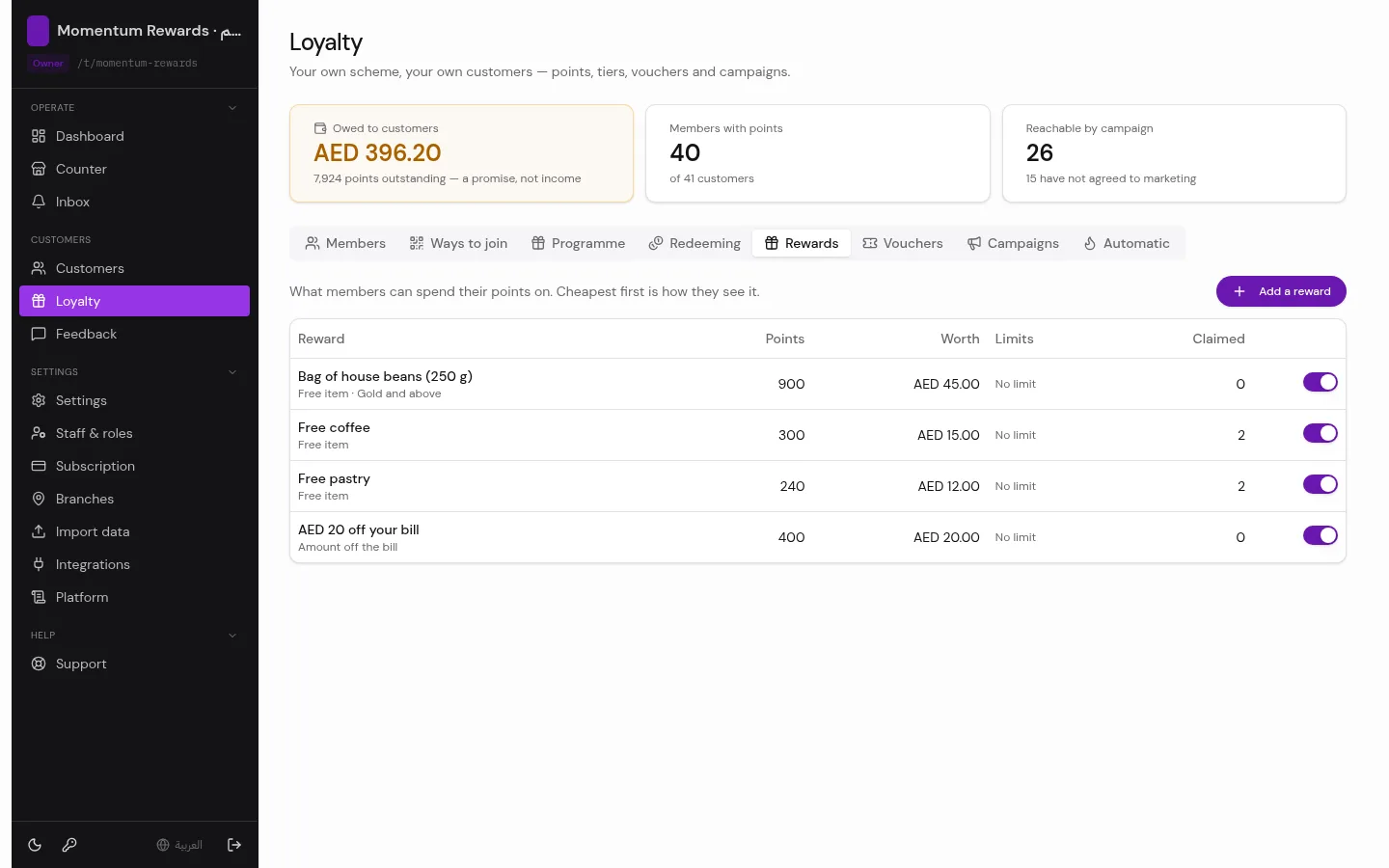
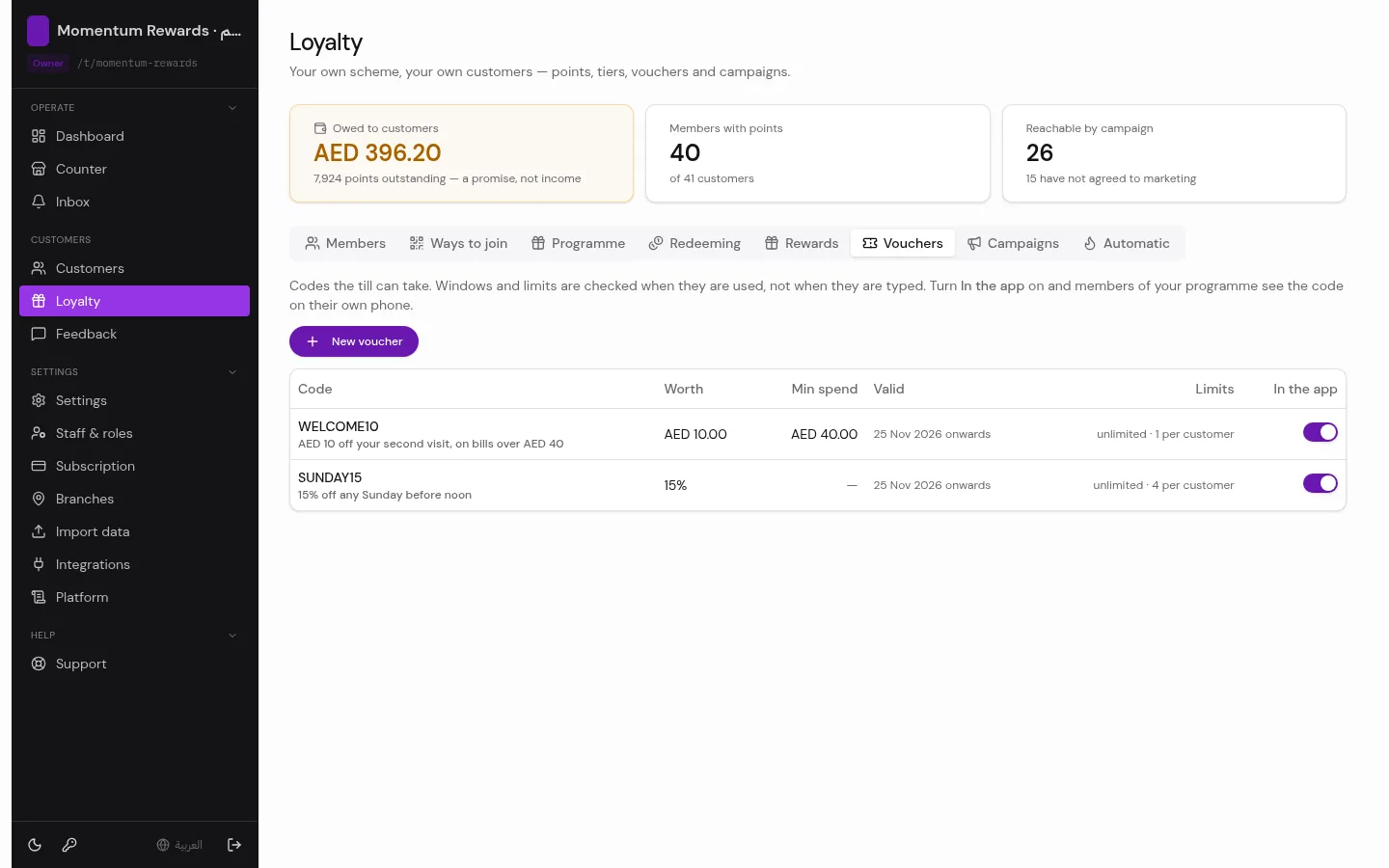
A catalogue of rewards priced in points — a free coffee, AED 20 off — and voucher codes with a minimum spend and a limit per customer. The ones you mark as visible appear on every member's card.
- Rewards can be kept for higher tiers
- Amount or percentage vouchers, with dates and limits
- A voucher can only be spent as often as you allow
- Refusals come with a reason a cashier can read out
Message the people who asked to hear from you
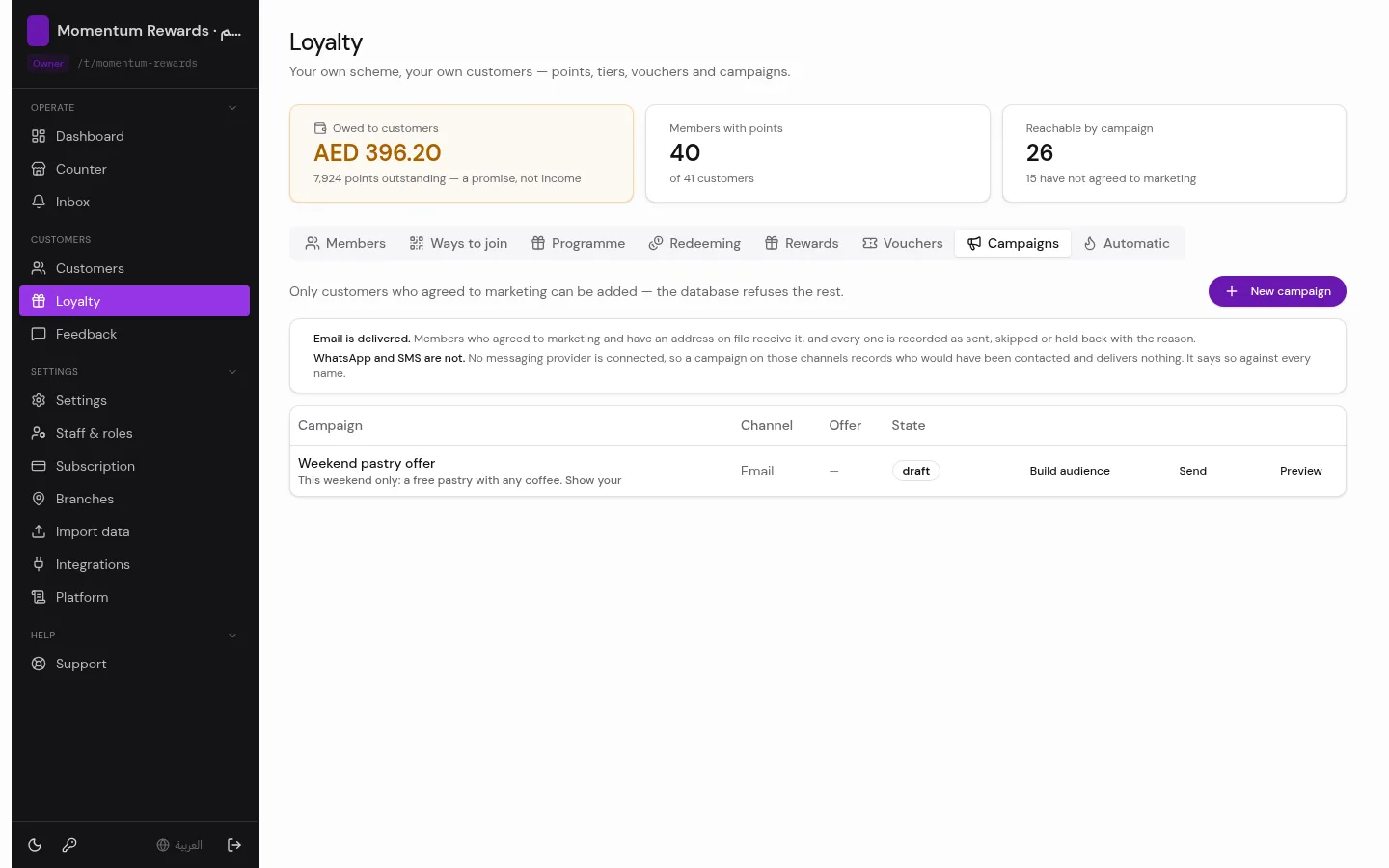
Pick who a campaign is for — everyone, or members past a points threshold. Anybody who has not agreed to marketing is left out automatically, and named, so you know who you are not reaching.
- Audiences by lifetime points
- Consent checked for every recipient
- Attach a voucher to an offer
- See who it reached and what came back
Reasons to come back, sent for you
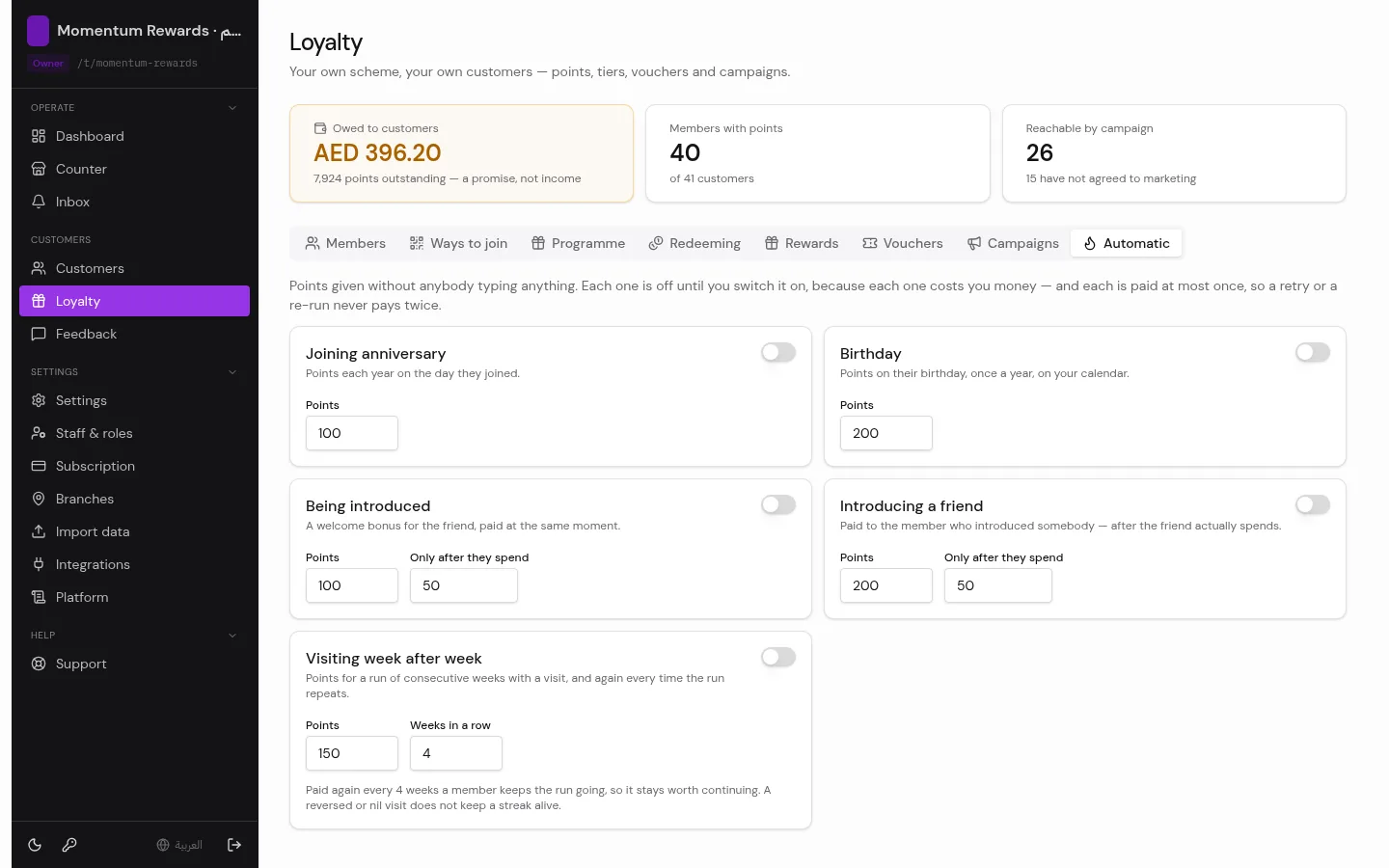
Switch on the ones you want and set what each is worth. Every one is off until you turn it on, because each one costs you money.
- Birthday points
- A thank-you on the anniversary of joining
- Referrals — paid when the friend actually visits, not when they sign up
- Streak bonuses for coming back week after week
Put a code where people wait — and see which one works
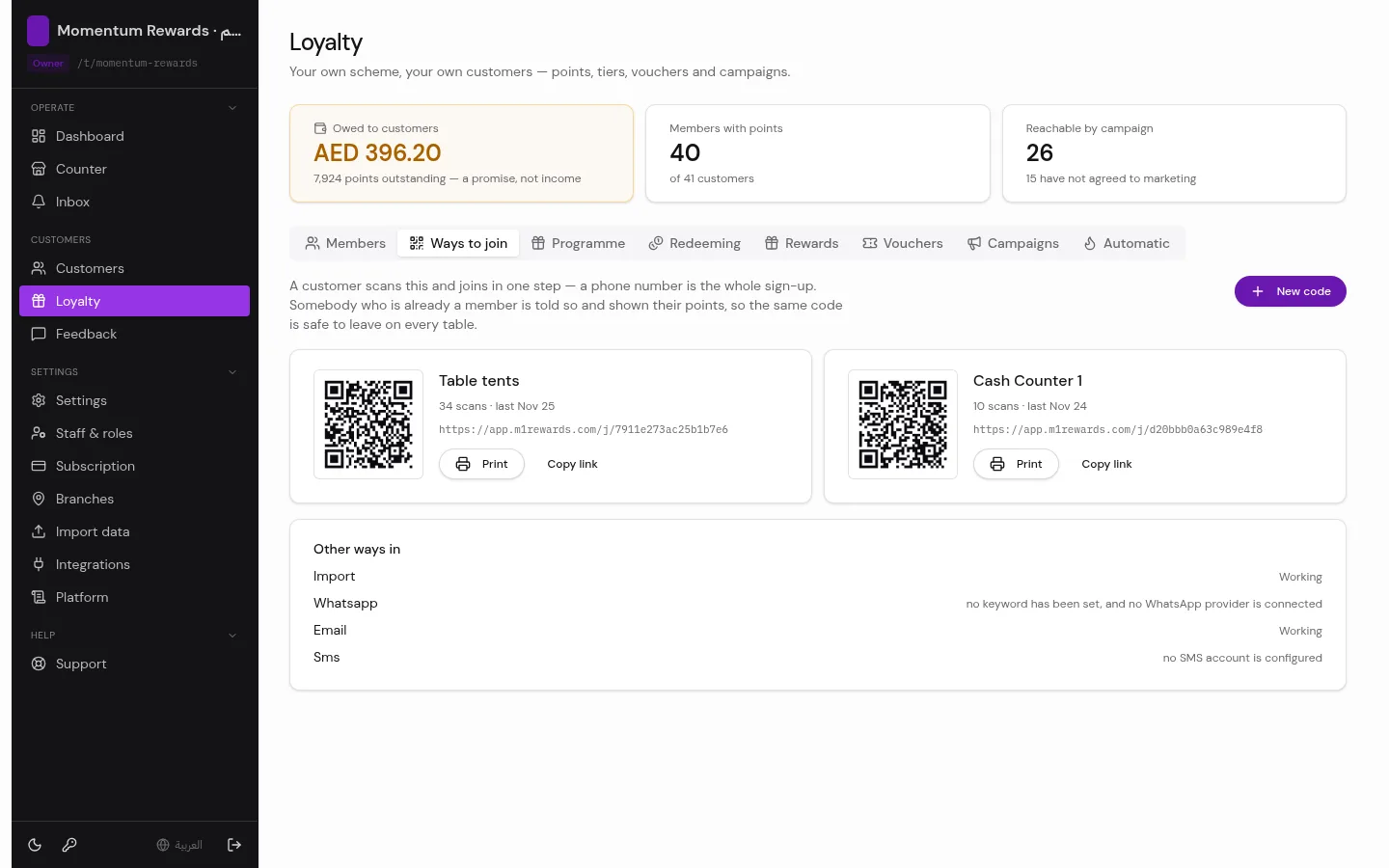
Make a QR code for the window, the till or the tables and print it from the screen. The dashboard shows each code's scans, the members it brought in, and how many of them came back.
- A code per spot, per branch
- Scans and sign-ups per code, by day
- Switch a code off without reprinting the rest
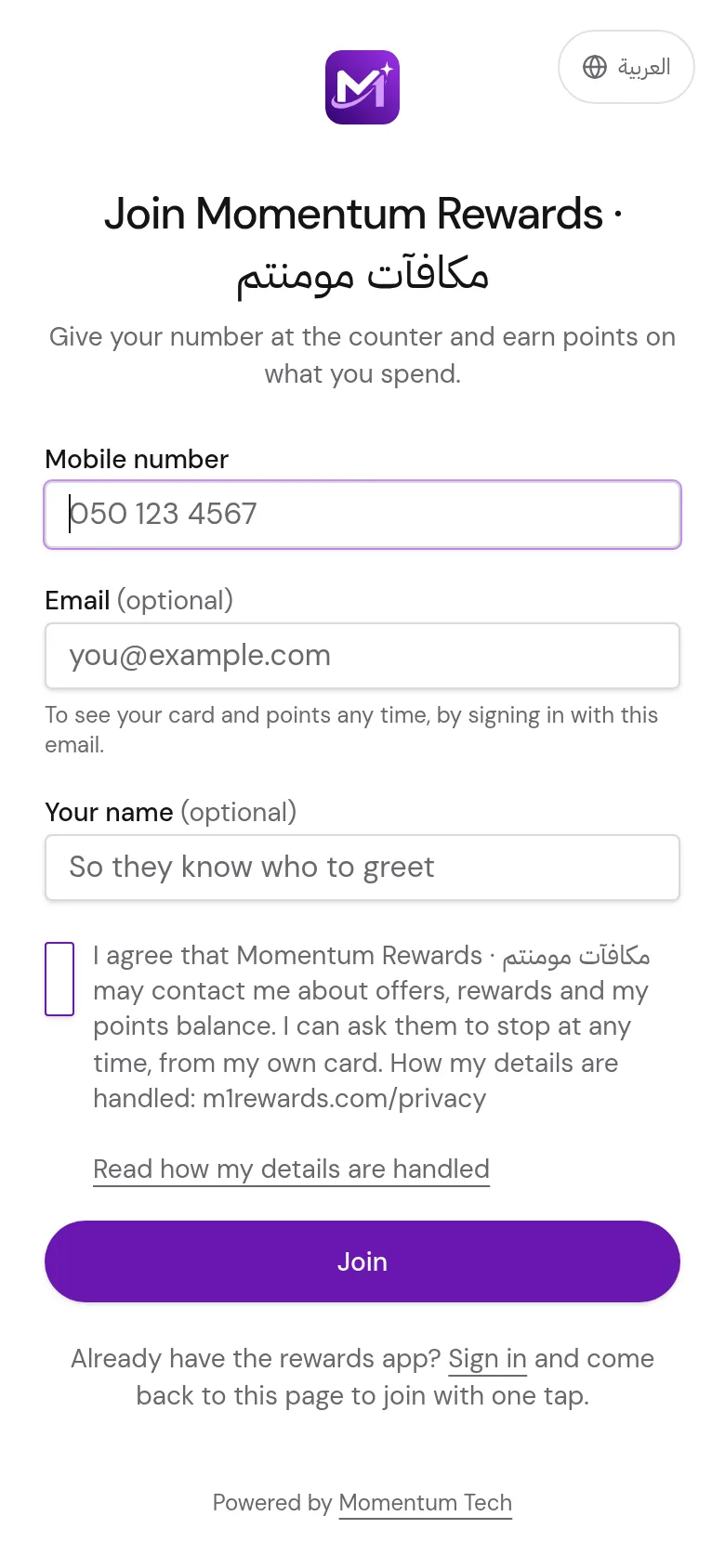
- The join form records consent in the language it was read
Hear it from them before a review site does
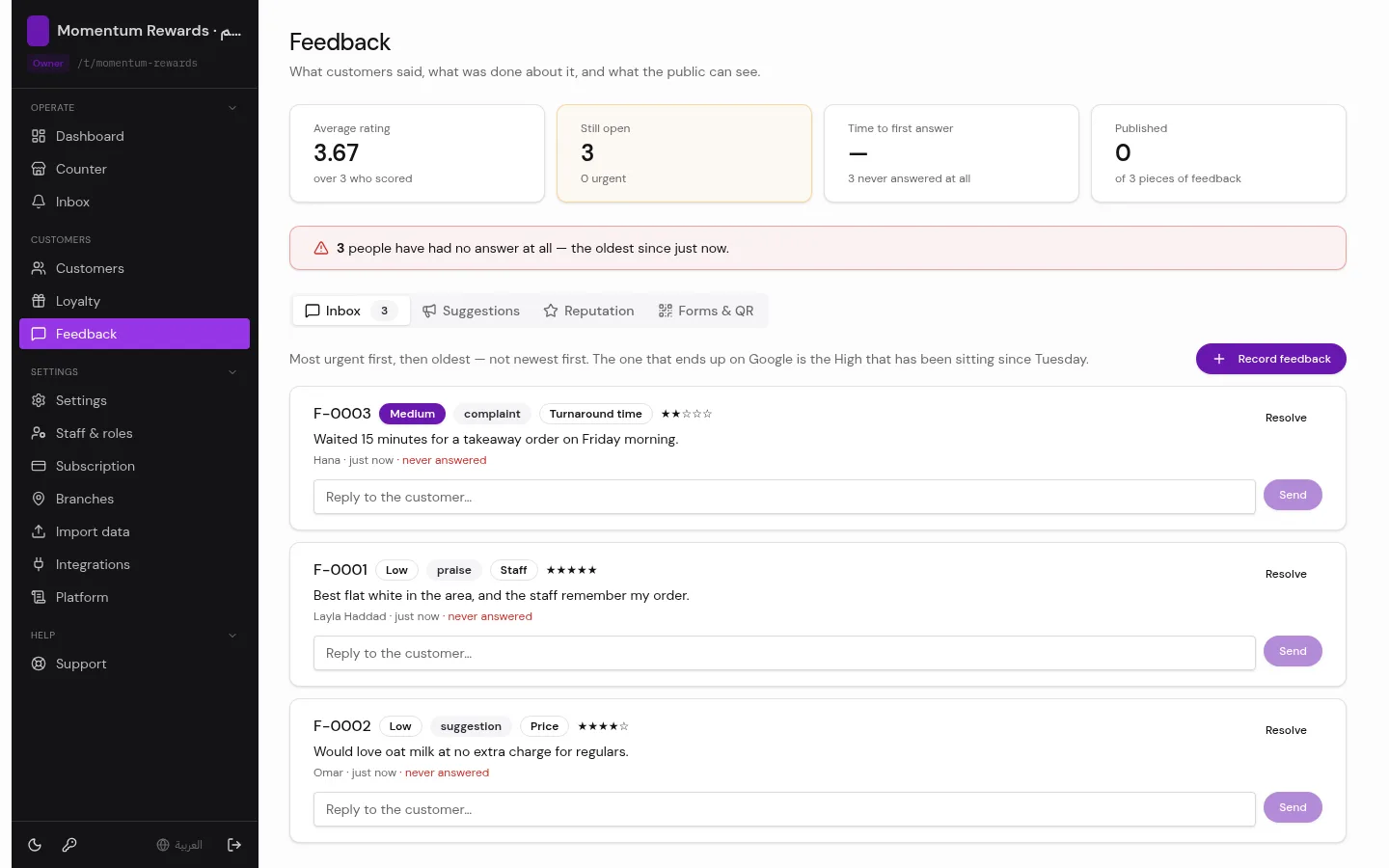
Feedback codes on the tables and receipts collect ratings, praise, complaints and suggestions. Each one is sorted by how urgent it is, and you close it off with what you did about it.
- Ratings, complaints, praise and suggestions in one inbox
- Urgency worked out for you
- Resolve and escalate with a note
- Publish praise — named only if the customer agreed
Hand over the counter without handing over the shop
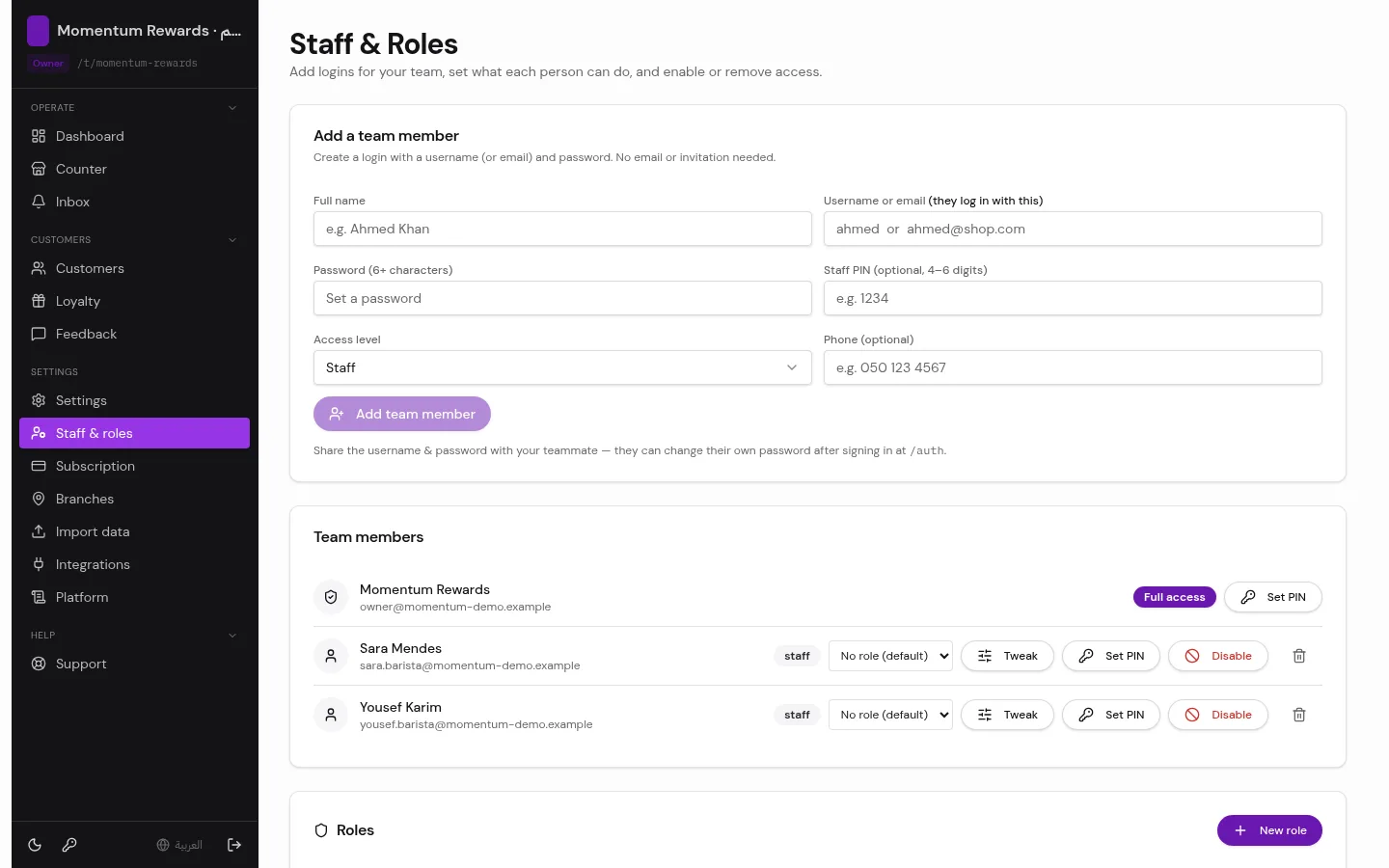
Give each person their own login and a grid of what they may do. Giving points and spending them are separate permissions, and a cashier can be confined to one branch.
- Roles with presets: counter only, counter earn-only
- A PIN for the till
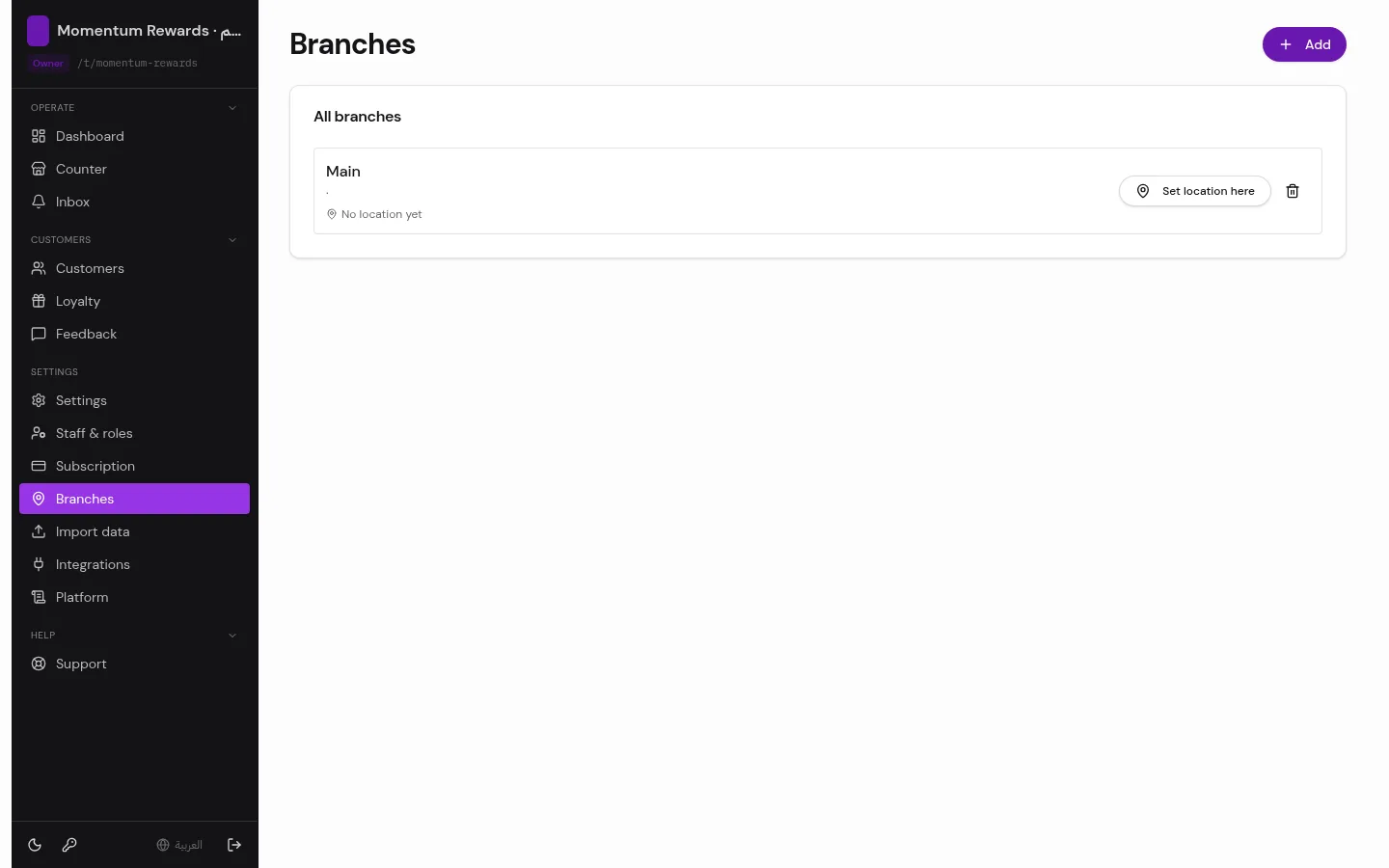
- Branches with their own address and hours
- Switch a login off in one click
What you owe, and whether it is working
The dashboard leads with the two questions an owner has: how much the points you have given are worth, and whether people are coming back. Pick any period; every day is counted on your shop's clock.
- What you owe in points, matched against your books
- Members who came back, and how often
- Your busiest hour and quietest day
- Which join code brought people in

Try it with your own shop
Free while you try it. No card, and nothing to install on your till.